İleri uç
One plane, one block and one number: a flight from one edge of the stage to the other. The shortest guide — to see what the number does.
1 pages · 1 characters · 1 scripts
The stage
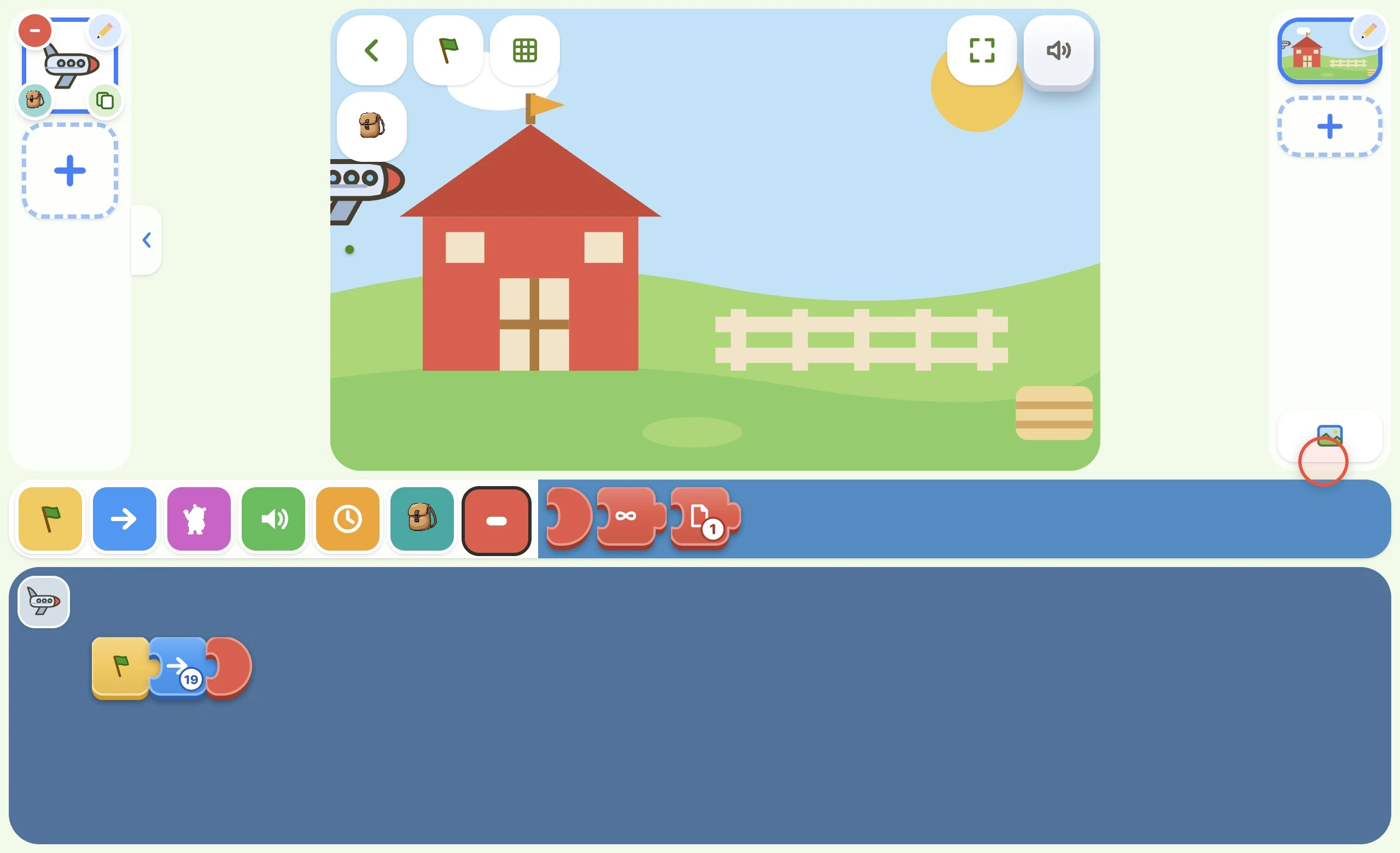
A plane waits at the left edge of the farm backdrop with twenty empty squares of sky ahead.
Minik uçak pistin başında senin komutunu bekliyor! Hareket sayısını değiştir; onu bazen azıcık, bazen gökyüzünün öbür ucuna kadar uçur. Bakalım tam hedefe indirebilecek misin?
What it teaches
- A single motion block can travel the whole way; the number says how many squares.
- The number belongs to the block: tap the arrow to open it.
- A character reaching the edge stops.
Building it step by step
- 1
Start a new project
Tap the plus tile in the Free Studio gallery. The project opens with one empty page and a single character (HIPO); you can remove HIPO with the minus on its card.
- 2
Set the backdrop to çiftlik
Tap the backdrop button at the bottom right and pick çiftlik from the shelf, browsing by the pictures on the dividers.
- 3
Add the character
Use the plus in the cast column to add, in order: uçak. Browse the pictures on the shelf dividers or type a name into the search box.
- 4
Put it in place
Drag every character to where it should stand on the stage. Where you drop it is its home; the reset button brings them all back there.
- 5
A program for uçak
Select uçak in the cast. Drag the "bayrakla başla" header from the trigger shelf onto the canvas. Then, in order: Add the "sağa 19 kare" block (set its number from the block's own panel).
- 6
Run it
Tap the green flag above the stage; every flag program runs at once. The reset button brings the characters back home.
Blocks used
The blocks this game is built from and what they do. The descriptions come from the block glossary in the Free Studio Guide.
- bayrakla başla
Start on flag
Runs the program when the green flag on the stage is tapped.
- sağa 19 kare
Move right / left / up / down
Moves the character the given number of squares. It changes position only; the character keeps facing the way it was. A character leaving one edge of the stage comes back in at the opposite edge.
Running it
The green flag lifts the plane; it moves nineteen squares right and stops at the right edge. Reset returns it to the left.

Also try
- Set the number to 5: where does the plane stop?
- Raise it to 20: does it leave the right edge and come in from the left?
- Add a 'shrink' block so the plane gets smaller as it goes.